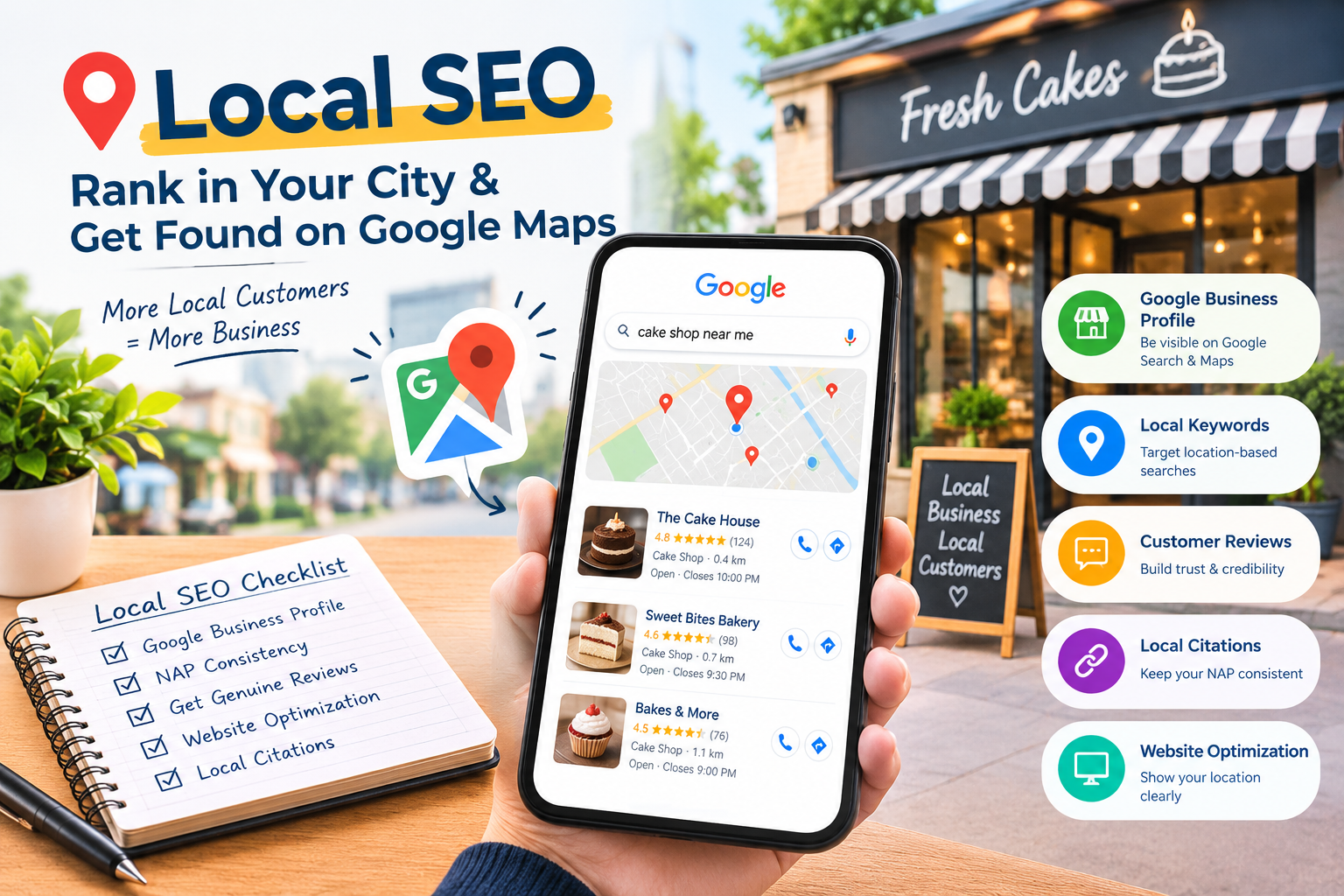
Imagine someone in Indore wants a cake for tonight. They open their phone and type “cake shop near me.” Within seconds, Google shows a map and three nearby shops. Most people call or visit one of those three.
If your shop is not among them, that customer is gone. This is exactly what local SEO is meant to fix.
In this guide, you will learn what local SEO is, how Google decides which local businesses to show, and a simple checklist you can follow today, even with zero budget. If you are new to SEO itself, read what SEO is and how it works first.
What Is Local SEO?
Local SEO is the process of improving your online presence so that your business appears when people search for products or services in a specific area.
Examples of local searches:
- “dentist in Ratlam”
- “wedding invitation designer Indore”
- “tiffin service near me”
- “best salon near Vijay Nagar”
Normal SEO tries to help your website rank for general searches. Local SEO helps you show up for people nearby who are ready to act, such as calling, visiting, or booking.
Why Local SEO Matters for Small Businesses
- People search before they visit. Checking Google Maps and reviews has become a normal habit before trying a new place.
- The intent is strong. Someone searching “AC repair near me” usually needs it today.
- It is affordable. Setting up your profile and collecting reviews costs nothing but time.
- It levels the field. A small shop with a good profile and honest reviews can appear next to big names.
- It supports offline business. Local SEO brings people to your shop, not just to your website.
If you are still deciding how to split your budget between online and offline marketing, see our comparison of digital marketing vs traditional marketing.
How Google Ranks Local Businesses
According to Google’s own help documentation, local results are mainly based on three things:
- Relevance: how well your business profile matches what the person searched for.
- Distance: how far your business is from the searcher, or from the area named in the search.
- Prominence: how well-known your business is, based on information Google has about you from across the web, such as reviews, links, and mentions.
You cannot change where your shop is, but you can improve relevance and prominence. That is where most of your effort should go. Google also mentions that a complete and accurate business profile helps it understand what you offer.
The Local Pack, Explained
When you search for a local service, Google often shows a map with three businesses at the top, along with their ratings, photos, and contact buttons. This is commonly called the local pack, and below it are the normal website results.
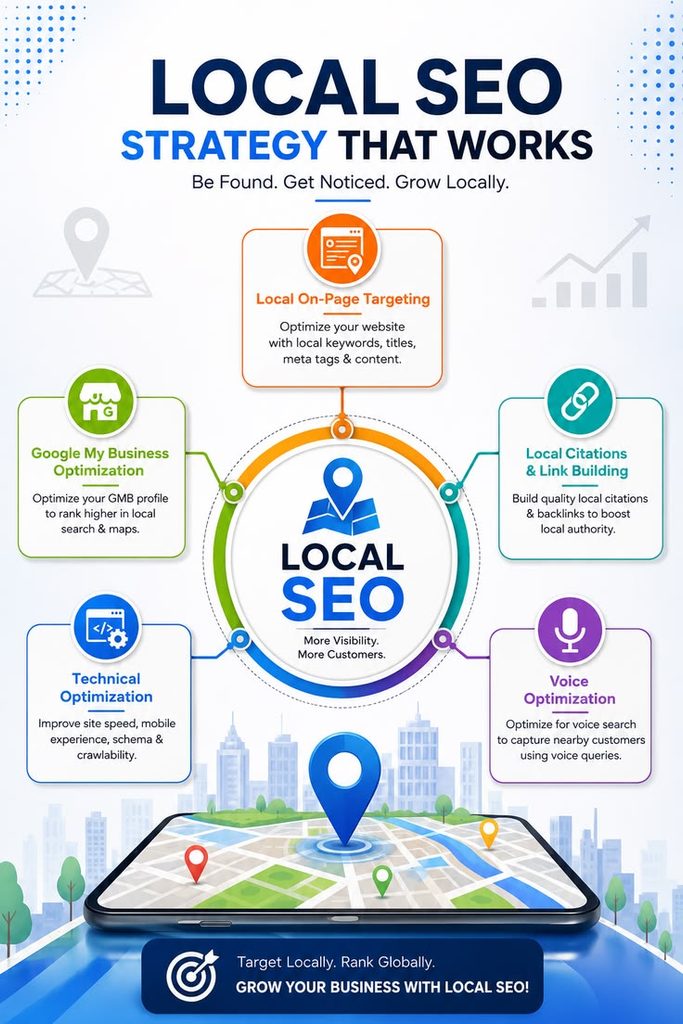
Most local SEO work is about two goals:
- Getting into the local pack (through your Google Business Profile)
- Ranking your website for local searches (through content and on-page SEO)
Step 1: Set Up Your Google Business Profile
Your Google Business Profile (GBP) is the single most important local SEO asset. It is free, and it controls how you appear in Google Search and Google Maps.
What to fill in:
- Business name: use your real, everyday business name. Do not add extra keywords to the name, as this goes against Google’s guidelines and can get your profile suspended.
- Category: choose the most accurate main category, then add a few secondary ones if relevant.
- Address and service area: accurate and complete. If you serve customers at their location, set your service areas.
- Phone number and website: correct and clickable.
- Opening hours: including special hours for festivals and holidays.
- Services or products: list each one with a short description.
- Photos: your shop front, inside, products, team, and your work. Real photos are better than stock images.
- Description: explain what you do and who you serve in clear, natural language.
After setting it up, you will need to verify your profile so you can manage it. [LINK: Google Business Profile setup guide]
Step 2: Keep Your NAP Consistent
NAP means Name, Address, Phone number. These details should be exactly the same everywhere online: your website, Google profile, Instagram bio, Facebook page, and any business directories.
For example, if your profile says “Shop No. 4, Vijay Nagar” but your Facebook says “Vijay Nagar Square,” it creates confusion. Pick one format and copy it everywhere.
Step 3: Collect Genuine Reviews
Reviews help customers decide, and they are part of how Google judges prominence. Here is how to get them the right way:
- Ask happy customers right after a good experience.
- Share your direct review link on WhatsApp or print a QR code for your counter.
- Reply to every review, including the negative ones, politely and calmly.
- Never buy fake reviews or offer money or gifts in exchange for positive ones. This goes against Google’s policies.
A simple message you can send on WhatsApp:
“Thank you for choosing us! If you liked our service, would you take 30 seconds to leave a review? Your feedback helps us a lot 🙏 [review link]”
[LINK: Google Reviews kaise collect karein blog]
Step 4: Make Your Website Local-Friendly
Your website supports your Google profile. Make sure it clearly tells Google where you operate.
- Mention your city and area naturally in your homepage, service pages, and titles (for example, “Wedding E-Invite Designer in Indore”).
- Create a separate page for each main service.
- Add your address, phone number, and a Google Map on your contact page.
- Make sure your site is mobile-friendly and fast, because most local searches happen on phones.
- Add a clear call-to-action, like a call button or WhatsApp link.
See how our local business marketing service can help set this up.
Step 5: Use Local Keywords Naturally
Think about how your customers search, then use those phrases in your content.
| Business | Possible local keywords |
|---|---|
| Bakery | cake shop in Indore, eggless cake near me |
| Salon | bridal makeup artist in Ratlam, hair salon near Vijay Nagar |
| Digital services | e-invite designer in Indore, website designer Indore |
| Coaching class | NEET coaching in Indore, maths tuition near me |
Add these phrases to your page titles, headings, first paragraph, and image alt text, but only where they sound natural. Do not repeat them again and again. You can find ideas with Google Keyword Planner. [LINK: Keyword Research blog]
Step 6: Create Local Content
Blogs and posts about your area can bring in people who are searching locally. A few ideas:
- “10 marketing ideas for small businesses in Indore”
- “How to choose a wedding card design for your city wedding”
- Customer stories and before-and-after photos
- Local events, festivals, and offers
Content like this also gives you more things to share on social media.
Step 7: Build Local Mentions and Listings
Google sees mentions of your business on other trusted local websites as a sign of prominence. You can:
- List your business in trusted local directories and keep your NAP identical
- Partner with nearby businesses and cross-promote
- Get featured in local blogs, college pages, or event pages
- Join local business groups and communities online
Quality is more important than quantity. A few genuine local mentions are better than hundreds of random listings.
Step 8: Track Your Results
Check these regularly:
- Google Business Profile insights: how many people called, asked for directions, or visited your website
- Google Search Console: which searches bring people to your website
- Calls and WhatsApp enquiries: ask new customers, “How did you find us?”
Review the numbers every month, then repeat what works.
Local SEO Checklist (Save This)
- Google Business Profile created and verified
- Correct main category and services added
- Opening hours and phone number updated
- At least 10 real photos uploaded
- NAP identical on website, social media, and listings
- Review link created and shared with customers
- Replying to all reviews
- City or area added to service pages and titles
- Website is fast and mobile-friendly
- Google Map added to the contact page
- Monthly check of profile insights
Common Local SEO Mistakes to Avoid
- Adding keywords or locations to your business name
- Using different names, numbers, or addresses in different places
- Ignoring reviews, especially negative ones
- Buying fake reviews
- Creating duplicate profiles for the same business
- Uploading no photos or only low-quality ones
- Forgetting to update holiday hours
- Having a slow or non-mobile-friendly website
- Expecting results in one week
How Long Does Local SEO Take?
A complete Google Business Profile can start appearing fairly quickly, but ranking well usually takes weeks to months. It depends on how many competitors you have in your area, how complete your profile is, and how many genuine reviews you collect. Be consistent and patient.
If you need enquiries sooner, you can combine local SEO with paid ads. Our Google Ads & PPC service can help you get quick results while your organic ranking builds.
Final Thoughts
Local SEO is one of the easiest and most affordable ways for a small business to grow. Set up your Google Business Profile properly, keep your details consistent, collect honest reviews, and publish helpful local content.
You do not need a big budget. You need accuracy, consistency, and patience.
Want help getting found in your city? Creative Nest helps local businesses with Google Business Profile setup, SEO, ads, websites, and design. Book a free consultation →
If you are just getting started with online promotion, our digital marketing for beginners guide is a good next read.
Frequently Asked Questions
What is local SEO in simple words?
Local SEO means improving your online presence so that people near you can find your business on Google Search and Google Maps.
Is local SEO different from normal SEO?
Yes. Normal SEO focuses on ranking websites for general searches, while local SEO focuses on ranking your business for searches connected to a place or “near me.”
Is Google Business Profile free?
Yes, creating and managing a Google Business Profile is free.
Do I need a website for local SEO?
It is strongly recommended. A profile alone can bring calls and visits, but a website adds credibility and lets you rank for more local searches.
How many reviews do I need?
There is no fixed number. Focus on collecting genuine reviews steadily and replying to all of them.
Can I rank without a shop address?
Yes, if you serve customers at their location. You can set your service areas in your profile instead of showing a public address.
How long does local SEO take?
Usually a few weeks to a few months, depending on competition and how consistently you work on it.
Can I do local SEO myself?
Yes. The basics, like setting up your profile, collecting reviews, and keeping details consistent, can all be done yourself.
Leave a Reply